
Uber Clone App Admin Flow for Complete Ride-Hailing Control
Our Uber Clone App Admin Flow gives you a centralized dashboard to manage users, drivers, rides, pricing, payments, and real-time operations globally—built for scalable and profitable ride-hailing businesses.
Uber Clone App - Web Admin Panel Visuals
lorem ipsum
Dashboard
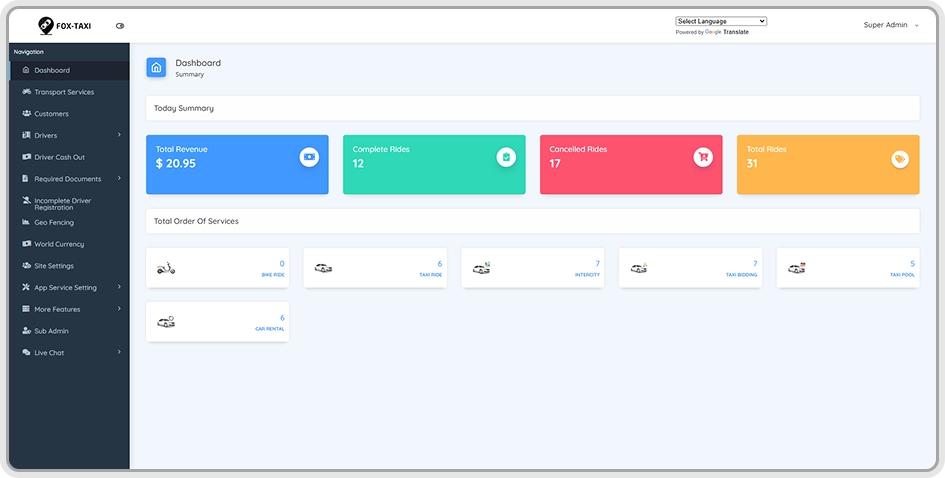
With the help of the Dashboard, the admin can view a complete summary of the taxi system through interactive graphs and visual reports. It displays key data such as total users, active drivers, riders, vehicle categories, overall revenue, and daily ride activity in one centralized view.
The dashboard also highlights recent ride lists and real-time performance trends, enabling admins to quickly analyze operations and identify growth opportunities. This visual-first approach within the Uber clone app admin flow helps reduce manual reporting while ensuring faster, data-driven business decisions.
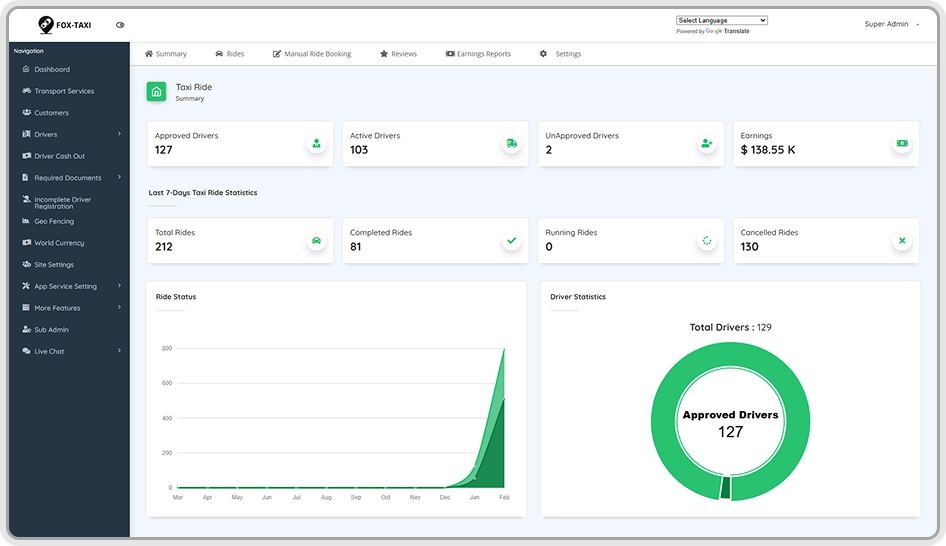
Taxi Ride Analytics Dashboard
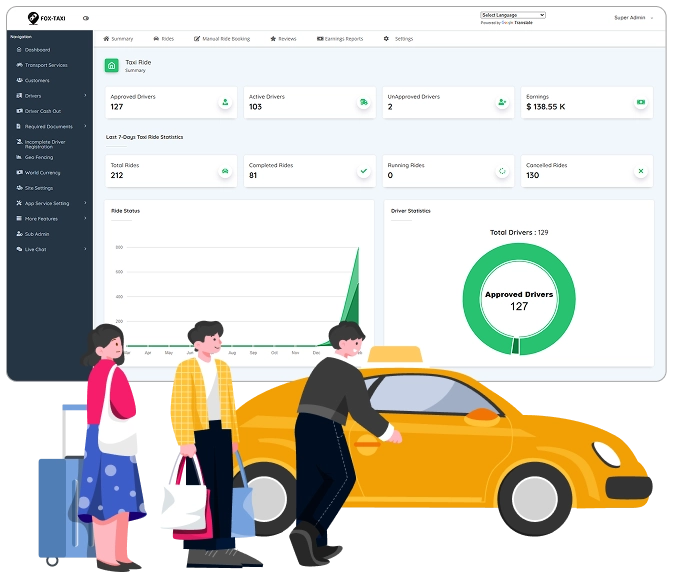
The Web Admin Dashboard in the Uber clone app admin flow provides a complete operational snapshot of your taxi business in one screen. Admins can instantly track approved and active drivers, unapproved profiles, total earnings, and ride activity through clean cards and visual indicators, reducing the need for manual monitoring.
Advanced charts and statistics offer deeper insights into ride performance, driver distribution, and growth trends over time. With real-time updates, recent ride summaries, and driver analytics, this dashboard empowers admins to make faster, data-driven decisions while maintaining full control over daily operations and long-term scalability.
Manage Riders
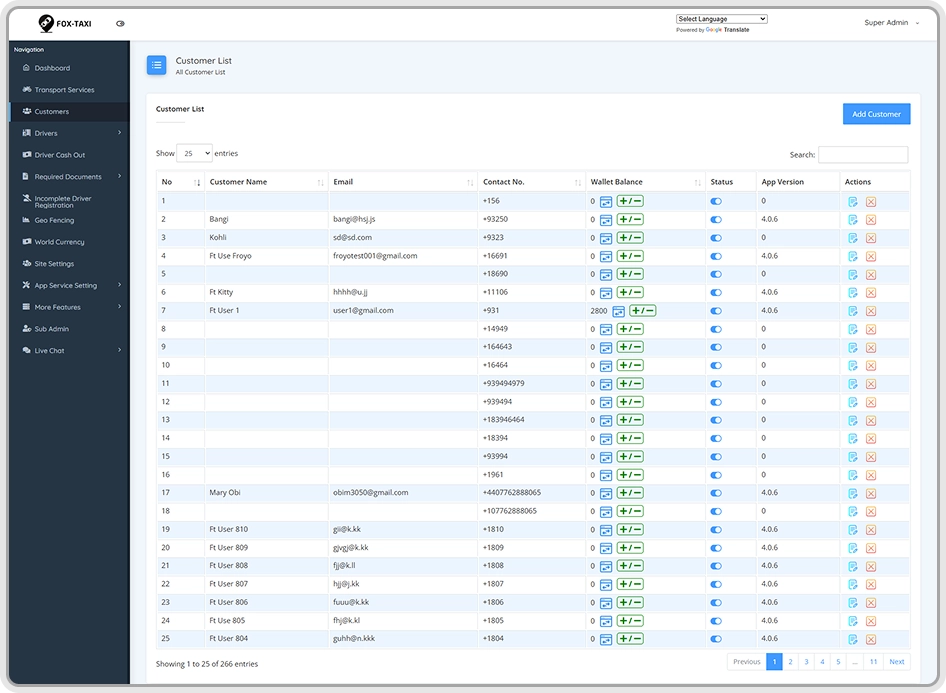
The Manage Riders module in the Uber clone app admin flow allows admins to view and control all registered taxi app users from a single dashboard. Admins can access complete rider profiles, including name, email, contact details, ratings, and full ride history, ensuring transparency across every user interaction.
For better platform security and service quality, admins can add, edit, or remove rider accounts at any time. In case of suspicious activity or policy violations, the admin has the authority to block users instantly, helping maintain a safe, compliant, and reliable Uber clone app ecosystem.
Experience Smarter Admin Control for Your Uber Clone App
Discover how our Uber clone app admin flow simplifies daily operations, improves visibility, and gives you full command over your ride-hailing business in real time.
Driver Management & Approval Control
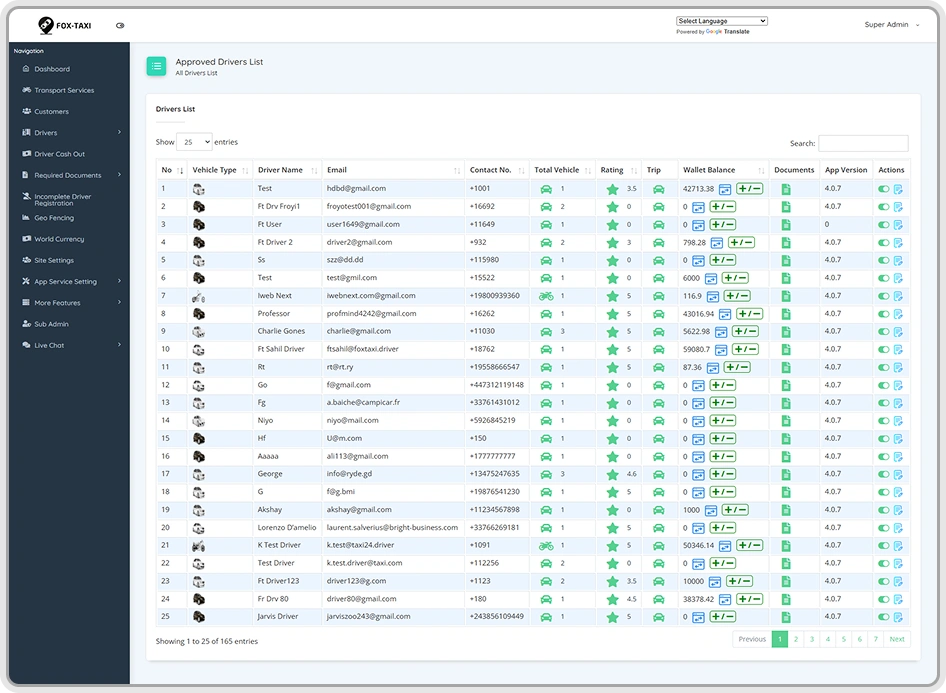
The Manage Drivers section in the Uber clone app admin flow gives admins complete visibility into all driver profiles and activities. Admins can review driver details such as name, email, contact information, city, ride history, earnings statements, online/offline status, and uploaded documents—all from a single, organized interface.
For better onboarding control, the Un-Approved Drivers view allows admins to evaluate newly registered drivers before they go live. Admins can verify vehicle details, review uploaded documents, and approve or reject driver accounts based on compliance, ensuring platform safety, service quality, and regulatory alignment.
Ride Management
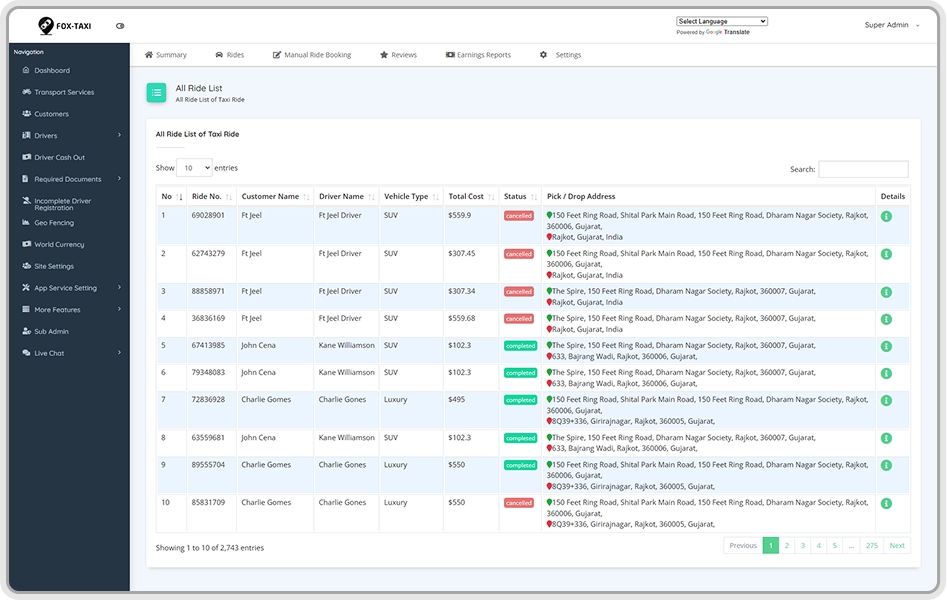
Admins can view all ride requests from a single interface with complete trip details, including rider name, driver name, pickup and drop-off locations, vehicle type, ride fare, and current ride status. This centralized view within the Uber clone app admin flow helps admins monitor ride activity in real time and maintain operational transparency.
The panel also includes dedicated views for Scheduled Rides and Canceled Rides. Admins can track future bookings with pickup date, time, and location, while canceled ride reports clearly show who canceled the trip—rider or driver—along with the reason, helping improve service quality and reduce operational issues.
Manual Ride Booking
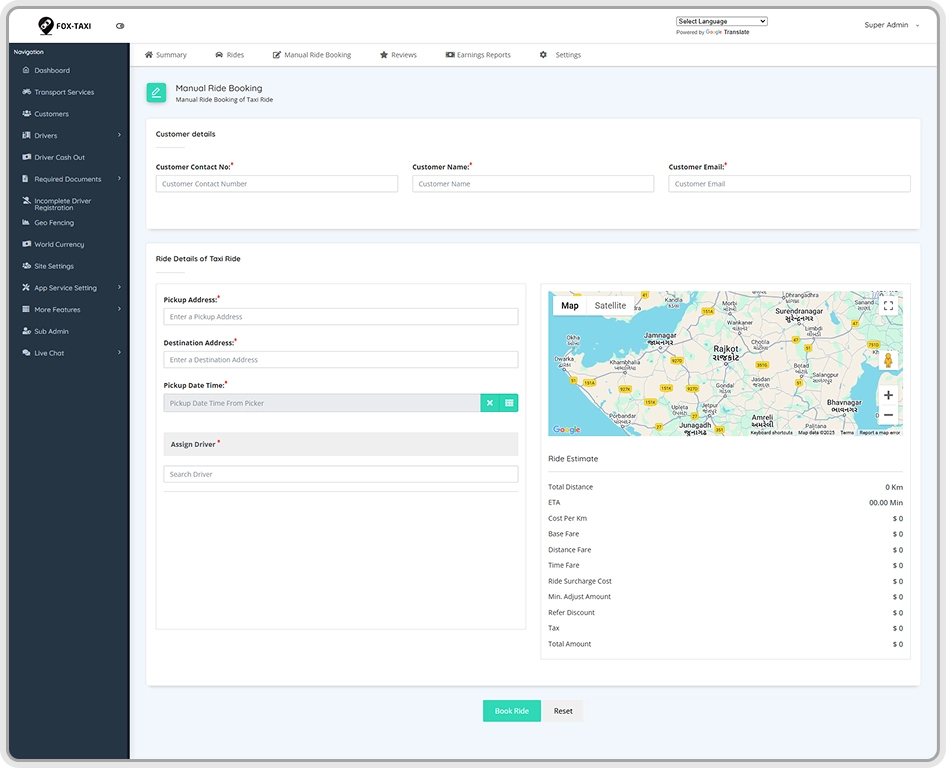
The Manual Ride Booking feature in the Uber clone app admin flow allows admins to create ride requests on behalf of users who are unfamiliar with the app or prefer offline assistance. Admins can quickly enter essential details such as the user’s contact number, pickup and destination locations, and preferred pickup date and time.
Once the ride is created, the admin can manually assign the nearest available driver based on location and vehicle type. This capability ensures no ride opportunity is lost, improves customer support, and helps businesses serve call-based or enterprise customers seamlessly within the Uber clone app ecosystem.
Vehicle Management
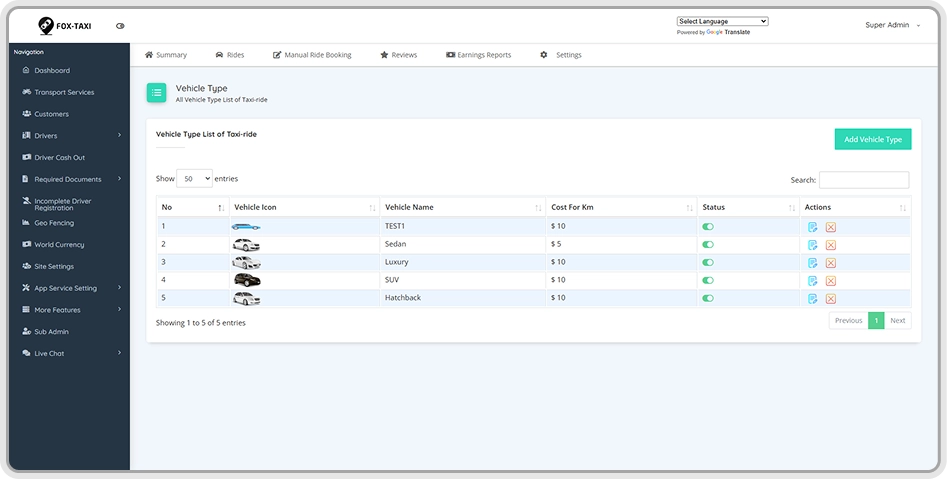
The Manage Vehicles module in the Uber clone app admin flow allows admins to configure and control all vehicle services offered on the platform. Admins can easily add, edit, or remove vehicle categories to match business models, regional demand, or fleet availability.
Each vehicle type—such as SUV, Sedan, Hatchback, or Luxury—can be customized with cost per kilometer, service icon, and on/off availability status. This flexible vehicle management ensures accurate pricing, better ride matching, and optimized service offerings across the Uber clone app operations.
Earnings Reports & Revenue Insights
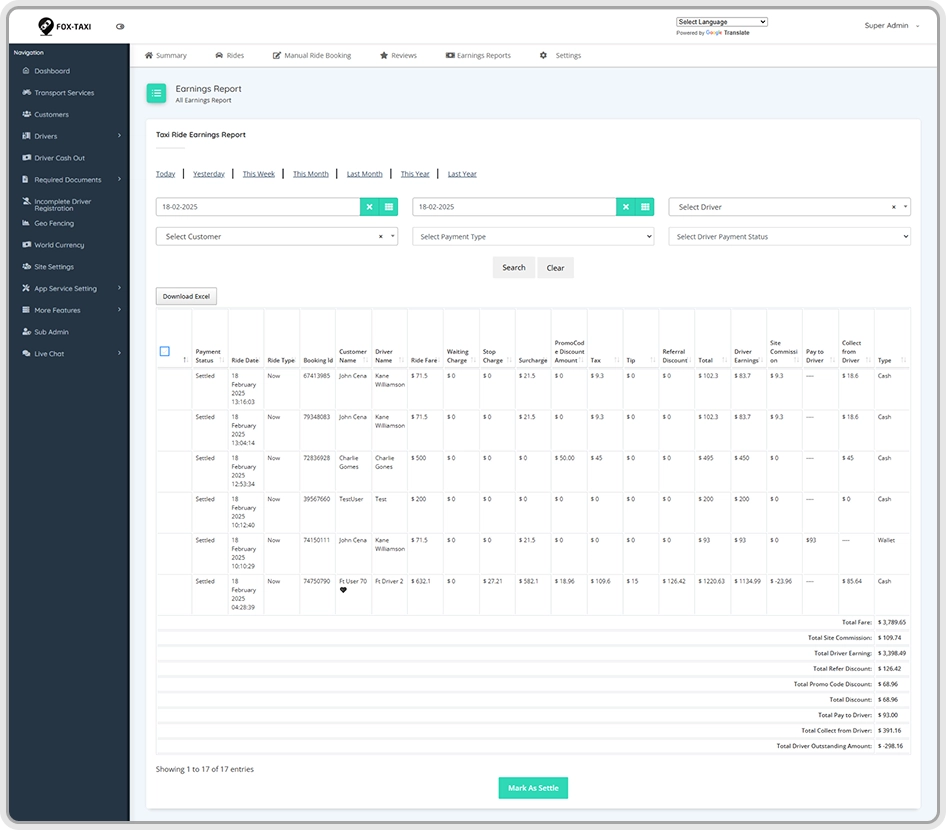
The Earnings Reports section in the Uber clone app admin flow provides a clear breakdown of both platform and driver earnings in one place. Admins can access detailed site revenue reports as well as individual driver earning statements to track overall financial performance accurately.
Each report includes ride ID, ride type, driver and rider names, pickup date and time, payment method, driver commission, and admin site commission. This level of financial transparency helps admins reconcile payments, monitor profitability, and make data-driven pricing or commission decisions across the Uber clone app ecosystem.
Ready to Launch Your Uber Clone App with Full Admin Control?
See how our powerful Uber clone app admin flow helps you manage drivers, riders, rides, vehicles, and earnings from one scalable web admin panel.
Manage Documents
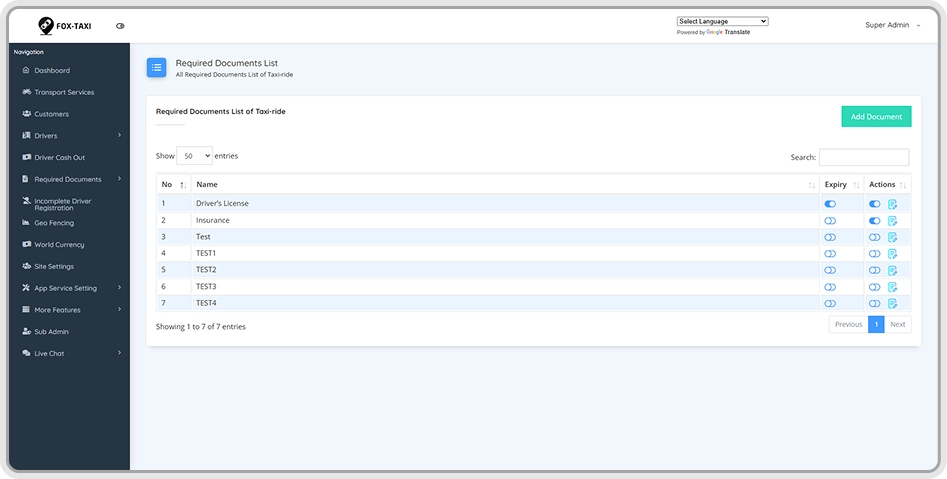
The Manage Documents section in the Uber clone app admin flow allows admins to define, add, and update all mandatory documents required to operate the platform. Admins can configure document requirements based on business rules, regional regulations, or service categories.
From driver ID proofs and driving licenses to vehicle insurance and other compliance documents, everything is centrally managed. This ensures smooth driver onboarding, faster approvals, and full regulatory compliance across cities while maintaining a secure and well-governed Uber clone app ecosystem.
Reviews & Ratings Management
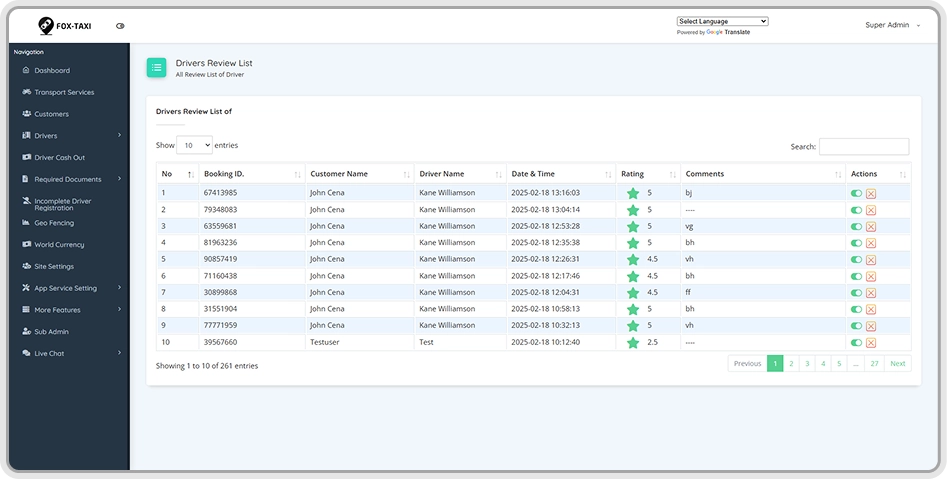
The Reviews & Ratings module in the Uber clone app admin flow enables admins to monitor feedback shared between riders and drivers. Admins can review ratings given by users to drivers and by drivers to users, helping maintain service quality and platform trust.
Each review record includes ride ID, rider and driver names, star rating, comments, and the exact date and time of the trip. This detailed visibility allows admins to identify recurring issues, resolve disputes, reward high-performing drivers, and improve overall experience within the Uber clone app platform.
God’s View
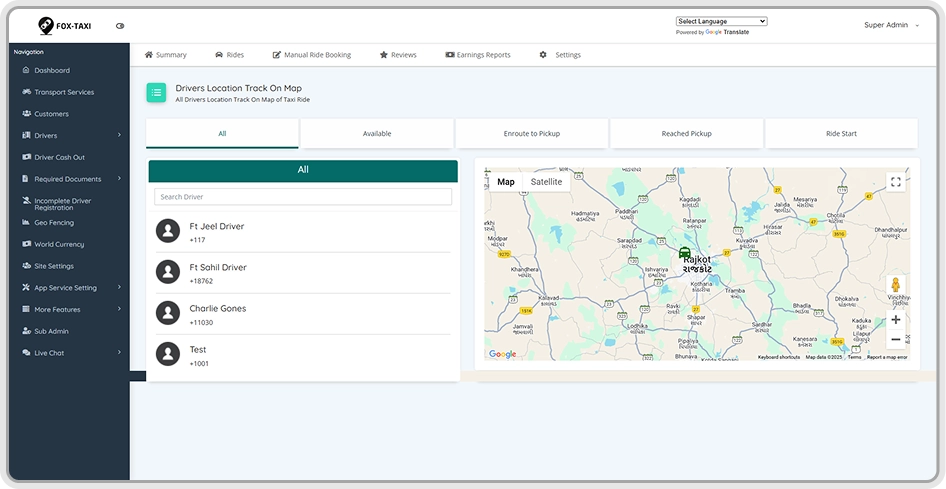
The God’s View feature in the Uber clone app admin flow gives admins a real-time, map-based overview of the entire fleet using GPS tracking. Admins can instantly see the live locations of all available drivers, helping monitor city-wide operations from a single interactive map.
This live view also shows driver movement from acceptance to pickup, ride start, and en-route progress until trip completion. With full visibility into driver routes and ride status, admins can optimize dispatching, resolve delays proactively, and ensure smooth, transparent ride operations across the platform
Promo Code Management
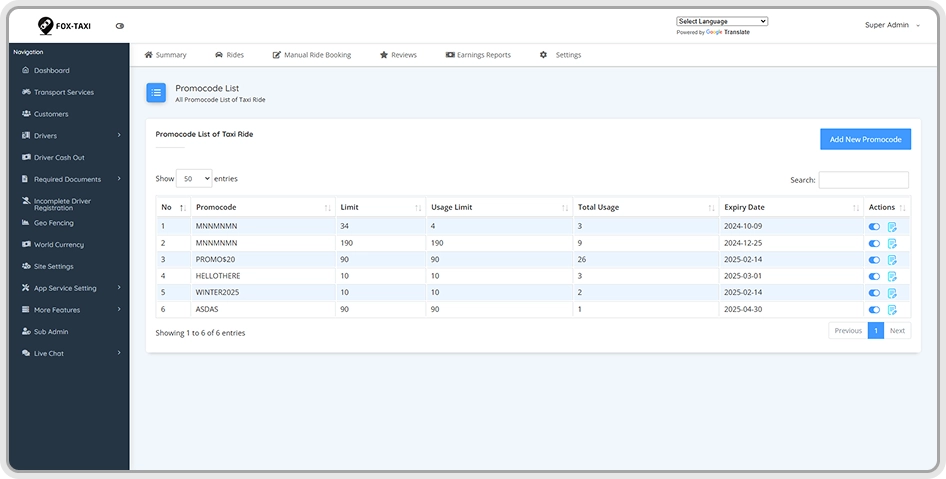
The Promo Code module in the Uber clone app admin flow allows admins to create and manage discount campaigns with complete flexibility. Admins can define promo codes with custom names, choose discount types such as percentage-based or flat amount offers, and set the offer value to match marketing goals.
Admins can also control usage limits, expiry dates, and active or inactive status for each promo code. When applied by users during ride booking, these promo codes automatically apply discounts, helping drive user acquisition, increase ride frequency, and boost retention within the Uber clone app platform.
Push Notification Management
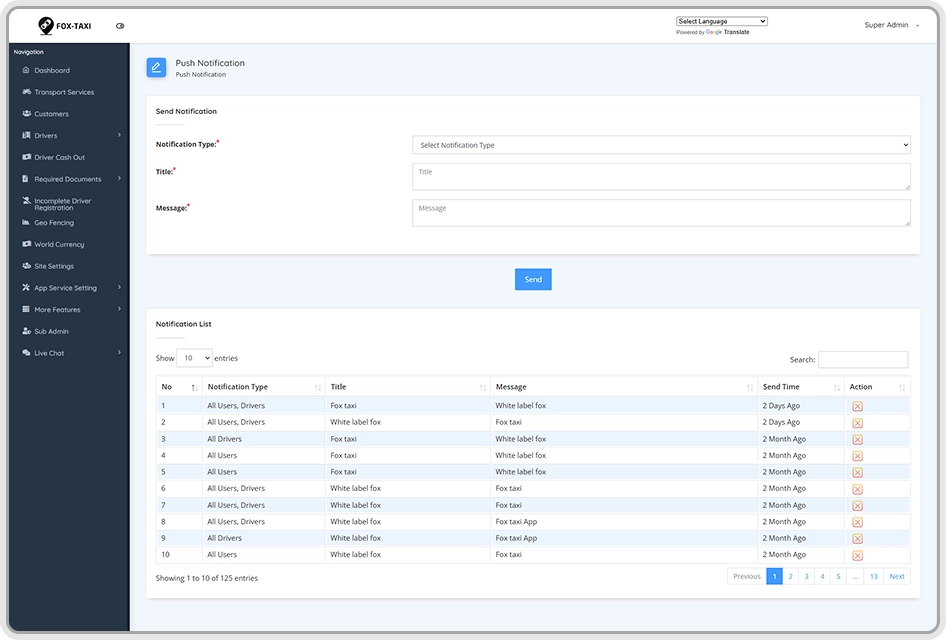
The Push Notification feature in the Uber clone app admin flow enables admins to broadcast important updates to riders and drivers instantly. Admins can send mass notifications for service announcements, operational alerts, promotional offers, and newly launched promo codes—keeping users engaged and informed in real time.
For enhanced brand visibility, users are shown a branded splash screen featuring the app logo and a smooth taxi slider animation when the app launches. This creates a professional first impression while ensuring critical messages are delivered effectively across the Uber clone app ecosystem.
General Settings
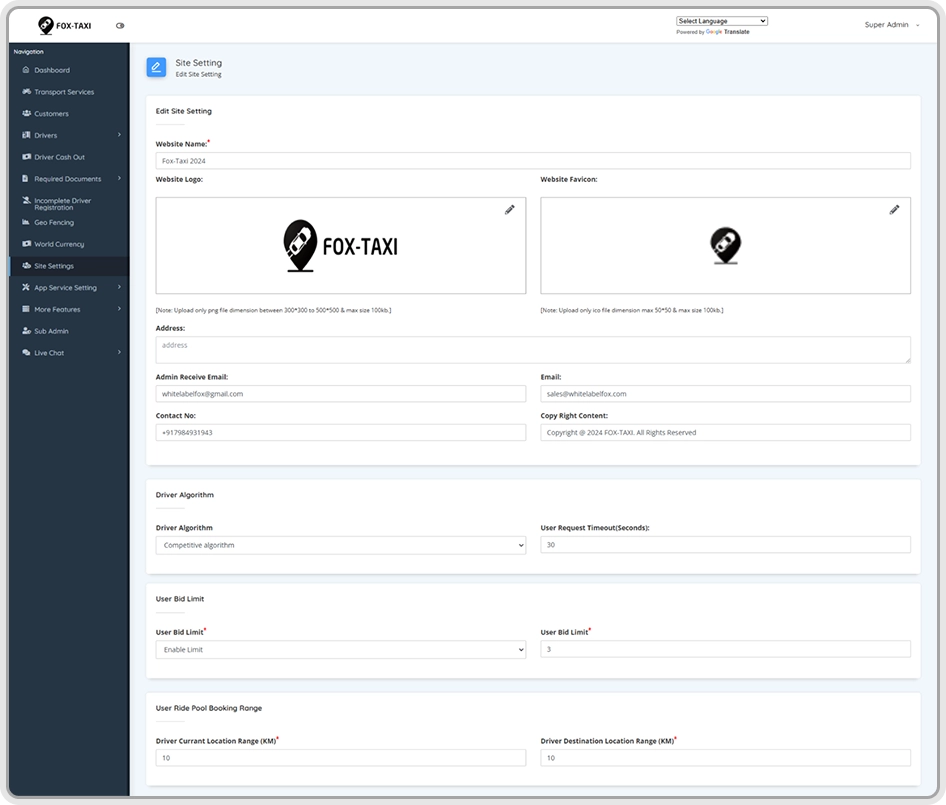
The General Settings section in the Uber clone app admin flow allows admins to configure essential system-level settings from one place. Admins can add or update Play Store and App Store links for rider and driver apps, set driver ride request timeouts, define driver search radius in kilometers, and manage contact details, email IDs, Google Maps API keys, Firebase keys, and other core integrations.
This section also covers Brand Identity, Payment Settings, and Social Links. Admins can upload the site logo and favicon to reflect brand identity, configure commissions, tax percentages, and payment gateways like Stripe while enabling cash, card, or wallet payments. Social media links such as Facebook, Twitter, Instagram, and LinkedIn can also be managed to ensure consistent branding and seamless communication across the Uber clone app platform.
Tech Stack We Use to Build Exceptional Solutions
We use a secure, scalable tech stack to deliver high performance, fast loading, and seamless user experiences across platforms.
iOS
Android
Google Maps
Android Studio
Flutter
BitBucket
Swift
Java
Firebase
Bootstrap
Laravel
CSS 3
HTML 5
MySQL
Php
Frequently Asked Questions
What is an Uber Clone App Admin Flow and why is it important?
 An Uber clone app admin flow is the backend control system that lets you manage drivers, riders, rides, pricing, payments, and reports from one dashboard, ensuring smooth, scalable ride-hailing operations.
Can the Uber Clone App Admin Panel be customized for different business models?
Yes. The admin panel is fully customizable, allowing you to configure commissions, vehicle types, pricing rules, promo codes, and workflows to fit taxi, bike taxi, luxury rides, or enterprise transport models.
Does the admin flow support real-time tracking and monitoring?
Absolutely. Admins can track live driver locations, active rides, earnings, cancellations, and performance metrics in real time using GPS-based map views and analytics dashboards.
Is the Uber Clone App Admin Flow secure and compliant for global use?
Yes. It includes role-based access, secure APIs, encrypted data handling, document verification, and configurable tax and payment settings, making it suitable for multi-city and global deployments.
Can admins manage offline or manual ride bookings from the panel?
Yes. Admins can manually create ride requests for users via phone or enterprise bookings by entering pickup, drop-off, time, and assigning the nearest available driver instantly.
Get in Touch with ApplionSoft
Have questions or ready to start your on-demand app project? Reach out to ApplionSoft today, and our experts will guide you through every step to launch your business successfully.
Send Us A Message
Building On-demand Solutions with Modern Technology Solutions.