
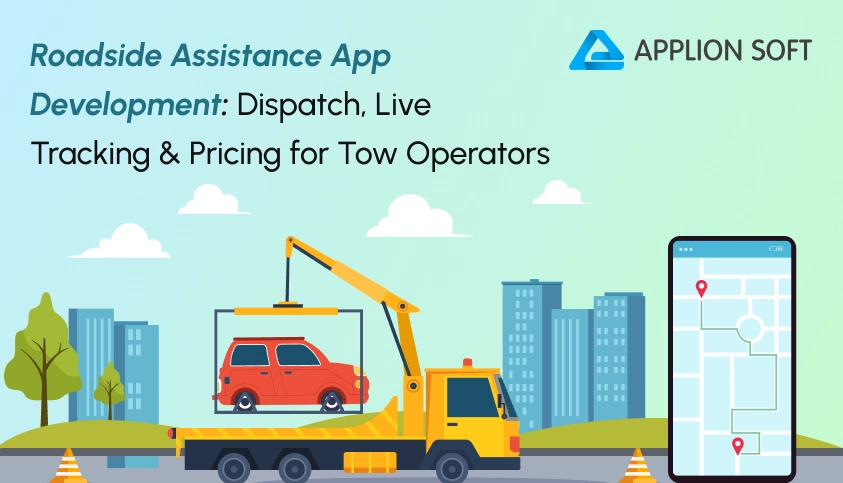
It is 11:40 p.m. A driver sits on a dark highway shoulder with a flat tire and 9% battery. She searches “tow near me” and calls three numbers. Two go to voicemail. The third quotes a price “somewhere around two hundred” and promises a truck “within the hour, maybe.”
Now picture the same night with a roadside assistance app. She taps one button. The app finds the closest flatbed, shows a fixed price, and places a moving truck on her map. The truck arrives in 22 minutes. She pays from her phone and drives home.
That gap explains why roadside assistance app development has become a smart move for tow operators. Drivers want Uber-style speed and honest pricing, which is why a tow truck app like Uber keeps gaining attention. Operators running a roadside assistance business want fewer missed calls and fewer empty miles. A well-built app gives both sides what they want.
This guide follows the journey from the stranded driver’s seat. You will see how dispatch picks the right truck, how live tracking builds trust, how to set tow fees that protect your margin, and how to choose between a custom build and a ready-made solution.
Roadside assistance app development is the process of building a mobile and web platform that connects stranded drivers with nearby towing and roadside service providers. A complete platform includes a customer app, a provider app, an admin panel, automated dispatch, live GPS tracking, and in-app payments.
Key takeaways
- A roadside platform needs four parts: a customer app, a provider app, an admin panel, and a dispatch engine.
- Good dispatch matches jobs by travel time and equipment, not just distance.
- Live tracking cuts “where is my truck?” calls and lifts your ratings.
- Upfront pricing wins more bookings than vague phone quotes.
- A ready-made clone script can launch your service in days instead of months.
What Roadside Assistance App Development Includes
Most founders picture a roadside assistance app as a single “request a tow” button. That button is only the front door. Behind it sits a full operating system for your roadside assistance business and strong roadside assistance app development plans for all of it from the start.
A complete build has four working parts:
- Customer app. Drivers drop a pin, choose a service, see the price, track the truck and pay.
- Provider app. Two operators and technicians accept jobs, navigate to the scene, update job status, upload photos and view earnings.
- Admin and dispatcher panel. Your team assigns jobs by hand when needed, sets prices, approves operators, handles disputes and reads reports.
- Dispatch and payment engine. This logic matches each job to a truck and sends money to the right place.
Think of it as a tow truck app like Uber, with extra duties. Every tow truck app must handle more job types than a ride-hailing app does. A ride has one job type. Roadside assistance services come in many shapes, and each one needs different tools and different pricing.
| Service | Truck or tool needed | Common pricing style |
|---|---|---|
| Local tow | Flatbed or wheel-lift truck | Hook-up fee plus per-mile rate |
| Jump start | Portable booster pack | Flat fee |
| Tire change | Jack and wheel tools | Flat fee |
| Lockout | Vehicle entry kit | Flat fee |
| Fuel delivery | Approved fuel can | Flat fee plus fuel cost |
| Winching and recovery | Winch or recovery truck | Hourly rate |
This variety shapes every design choice that follows. Your app must know which truck can handle which job.
Why Tow Operators Are Moving From Phone Calls to Apps
Phone dispatch works until it doesn’t, especially when customers expect roadside assistance services to feel as simple as ordering a ride. On a busy evening, one dispatcher juggles three calls, a radio and a paper ticket. A caller waits on hold, gives up, and phones your competitor. That job is gone.
A towing service app fixes the weak points of phone-only work:
- They never sleep. Requests arrive at 3 a.m. with no night-shift staff needed.
- They quote before the customer commits. Price fights drop because drivers see the fee up front.
- They cut idle miles. The system sends the closest suitable truck, not the one a dispatcher remembers first.
- They create records. Photos, timestamps, and receipts protect you in damage disputes.
- They open new doors. Insurers, fleet managers, and dealerships increasingly prefer digital job intake they can audit, and uber for tow trucks platforms deliver it.
An on-demand towing app also changes how drivers see you. A branded app feels like a modern company, not a number scribbled on a business card. That trust turns one-time rescues into repeat customers and gives your roadside assistance business a brand people remember.
The First 60 Minutes: One Breakdown, Step by Step
The best way to plan your roadside assistance app is to follow one job from first tap to final receipt. Here is what happens on both sides of the screen.
| Time | What the driver sees | What the operator sees |
|---|---|---|
| 0 min | Taps “Get Help” and confirms the pin | Nothing yet; the engine scores nearby trucks |
| 1 min | Price quote and “Finding your truck” | Job alert with distance, fee, and a 30-second timer |
| 2 min | Operator name, plate, and ETA | Job accepted; navigation opens |
| 3–22 min | Truck moves along the live map | Turn-by-turn route and automatic status updates |
| 22 min | “Your truck has arrived” alert | Photo prompt for a vehicle condition check |
| 45 min | Drop-off confirmation | Job closed; earnings added |
| 50 min | Digital receipt and rating prompt | Customer rating arrives |
Each row is a feature you must build. Three of them decide whether your platform wins or loses: dispatch, tracking and pricing. Let’s take them one at a time.
Dispatch: How Tow Truck Dispatch Software Picks the Right Truck
Dispatch is the brain of your platform, and tow truck dispatch software sits at its center. Bad dispatch sends a wheel-lift truck to an electric vehicle that needs a flatbed. Good dispatch gets it right the first time.
Strong tow truck dispatch software scores every nearby operator on five signals:
- Travel time. Use road-based ETA from a mapping API, not straight-line distance. A truck two miles away across a river may be slower than one four miles away on the same road.
- Equipment fit. Match flatbed, wheel-lift, winch, or heavy-duty trucks to the vehicle and the job.
- Availability. Skip operators who are on another job or off shift.
- Quality. Favor operators with strong ratings and high acceptance rates.
- Service coverage. Respect each operator’s zones and service list.
Next, choose your assignment style for the on-demand towing app. Most platforms offer three:
- Auto-assign. The system picks the best-scored truck and sends the job. This is fastest and suits busy cities.
- Broadcast and accept. The job goes to the top three or five operators, and the first to accept wins. It works well for independent contractors.
- Manual override. A dispatcher assigns or reassigns jobs from the admin panel. You need this for complex recoveries and VIP accounts.
Always build fallbacks into your tow truck app. If an operator ignores a job for 30 seconds, the system should pass it to the next truck. If nobody accepts, widen the search radius, alert a dispatcher, and tell the customer the truth. A clear “finding more trucks” message beats silence every time.
Don’t forget scheduled jobs in your towing service app. Many drivers book a tow for tomorrow morning, such as moving a car to a repair shop. Your tow truck dispatch software should hold those jobs and release them at the right time.
Live Tracking: The Feature That Calms Stranded Drivers
A driver stuck on the roadside feels anxious, and waiting makes it worse. A good tow truck app removes that guesswork. Live tracking turns that anxiety into patience. Watching the truck move on a map answers the one question every customer asks.
The customer view should show:
- The truck’s live position and a countdown ETA
- The operator’s name, photo, truck type, and plate number
- A masked call and chat button, so phone numbers stay private
- A share link, so family or a fleet manager can follow along
The operator view needs just as much care. Include in-app turn-by-turn navigation, one-tap status updates, and a geofence that flags “arrived” when the truck reaches the pin. Add a pre-hook-up photo step too. In any towing service app, photos of the vehicle’s condition take ten seconds and prevent costly damage claims.
A few technical details matter more than they sound:
- Ping rate. Update location every 5 to 10 seconds during an active job. Slow down when idle to save battery.
- Weak signal. Store updates on the device and send them when the connection returns.
- ETA honesty. A towing service app should recalculate often. If traffic adds ten minutes, tell the customer before they ask.
- Fleet map. Give your dispatcher one screen that shows every truck and every open job, since tow truck dispatch software works best when humans can see its choices.
When drivers can see progress, they stop calling your office. Your team handles fewer status calls and spends that time on real problems.
Pricing: How to Set Tow Fees Customers Trust and You Profit From
Pricing decides whether your tow truck app earns money or just moves traffic. A towing service app lives or dies by how fair its quotes feel. Good roadside assistance app development treats the pricing engine as a core module, not an afterthought. Drivers in an emergency hate surprises. Operators hate underpriced jobs. Your pricing engine must serve both.
Four common pricing models
- Hook-up plus per-mile. A base fee covers the hook-up, and a rate per mile covers distance. This is the standard for local towing.
- Flat fee. Jump starts, lockouts, and tire changes usually carry one fixed price.
- Zone pricing. You split your city into zones and set one price between each pair. It is simple to explain and easy to quote.
- Time-based. Recovery and winching jobs use an hourly rate because the work time varies widely.
A worked example
Here is a sample quote for a 12-mile tow at 10 p.m. The numbers are illustrative, so swap in your local rates.
| Line item | Amount |
|---|---|
| Hook-up fee | $75.00 |
| Distance (12 miles × $4.50) | $54.00 |
| Night surcharge (20% of $129) | $25.80 |
| Total shown to the driver | $154.80 |
| Platform commission (20%) | $30.96 |
| Operator payout | $123.84 |
Rules that protect trust
- Show the price before the request. If the final cost may change, explain why and set a cap.
- List surcharges clearly. Night, weekend, storm, heavy-duty, and wait-time fees should appear as separate lines.
- Limit surge pricing. After a storm, a 3x multiplier may fill your trucks but drain your reputation. A modest, capped multiplier keeps goodwill.
- Check local rules. Some regions cap towing rates, especially for non-consensual tows. Confirm the rules where you operate.
How the platform earns
Every roadside assistance business usually combines several revenue streams:
- Commission on each job, often in the range of 15% to 25%
- Membership plans that give members discounted or free tows for a monthly fee
- B2B contracts with insurers, dealers, rental companies, and fleets
- Operator subscriptions or lead fees for premium placement
Mix them. Commission pays the bills early, memberships build steady income, and B2B contracts add volume.
Must-Have Features vs. Nice-to-Have Features
Don’t build everything on day one. Launch your towing service app with the core roadside assistance services, then grow.
| Feature | Why it matters | Phase |
|---|---|---|
| One-tap request with GPS pin | Speed in an emergency | Launch |
| Upfront price quote | Builds trust and cuts disputes | Launch |
| Automated dispatch with fallback | Fewer missed jobs | Launch |
| Live tracking and ETA | Fewer status calls | Launch |
| In-app payment and receipts | Fast payouts and clean records | Launch |
| Operator verification | Safety and compliance | Launch |
| Photo proof of service | Dispute protection | Launch |
| Ratings and reviews | Quality control | Launch |
| Membership plans | Recurring revenue | Growth |
| Fleet and B2B portal | Bigger contracts | Growth |
| Multi-language and multi-currency | Expansion to new markets | Growth |
| Analytics dashboard | Smarter decisions | Growth |
Custom Build or Ready-Made? Choosing Your Route
You have two main paths for roadside assistance app development.
Path 1: Custom build from scratch. You hire a team to design, code, and test everything. You get total freedom. You also get a long timeline and a large bill. Agency quotes for custom towing platforms commonly start in the tens of thousands of dollars.
Path 2: Ready-made clone solution. You start with a tested roadside assistance app that already includes the apps and the admin panel. Then you brand it and adjust it. You launch faster and spend less. The trade-off is that you work from an existing foundation, so confirm the code is customizable.
For most new operators, Path 2 makes sense, because a tow truck app like Uber needs proven dispatch and tracking more than it needs a fresh codebase. You can test demand, learn from real jobs, and add custom features later, with revenue already coming in.
Applionsoft’s Uber for Tow Truck solution follows this ready-made approach, giving you uber for tow trucks without the long build. It is a white-label platform you can brand as your own. Applionsoft also provides customizable code, hosting and setup support, and a free live demo. Explore the Applionsoft Uber for Tow Truck app to see the screens and flows before you decide.
Ask any vendor these questions:
- Do I get the full source code?
- Can I change pricing logic and service types?
- Which map and payment providers work out of the box for an on-demand towing app?
- What support follows launch, and for how long?
- Can I see a live demo of the customer, operator, and admin apps?
A Six-Step Roadside Assistance App Development Plan for Your First 100 Jobs
- Pick your zone and services. Start with one city or highway corridor. Choose three to five roadside assistance services you can deliver well.
- Choose your build route. Decide between a custom build and a ready-made tow truck app like Uber using the checklist above.
- Set your pricing. Use the models above, then test a few quotes against local competitors.
- Recruit operators first. Supply comes before demand. Verify each operator’s license, insurance, and equipment photos. Ten reliable trucks beat fifty unknown ones.
- Run a pilot. Launch your on-demand towing app in a small area for 30 days. Track ETA, acceptance rate, cancellations, and ratings.
- Market where breakdowns happen. Partner with repair shops, car dealers, parking operators, and insurance agents. Place QR codes at partner counters.
Five Mistakes That Slow Roadside Apps Down
- Dispatching by distance only. Equipment and travel time matter more in roadside assistance app development than a straight-line map pin.
- Hiding the price. Surprise fees destroy trust fast.
- Ignoring operator experience. A clumsy provider app makes your best drivers quit.
- Skipping verification. One unsafe or uninsured operator can sink your brand and your on-demand towing app with it.
- Launching too wide. Thin coverage means long ETAs, and long ETAs mean bad reviews.
Conclusion
Stranded drivers need three things from roadside assistance services: a fast answer, a fair price, and a truck they can see coming. Roadside assistance app development lets you deliver all three. Smart dispatch fills your trucks with the right jobs. Live tracking calms customers. Clear pricing protects your margin and your name.
You do not need to build everything from zero. Many owners of a roadside assistance business now start with a ready-made platform and customize it as they grow. A trusted clone app development company can shorten your path from idea to first job, set up hosting, and stay with you after launch.
Ready to turn your tow trucks into a digital-first service? Start with a live demo and see the full platform in action.